


Upwex uses your Upwork freelancer profile as the foundation for AI-generated content – your title, overview, skills, hourly rate and work history all feed into the models that write your cover letters. Without a synced profile, AI output will be generic.
Step 1 – Open the extension popup
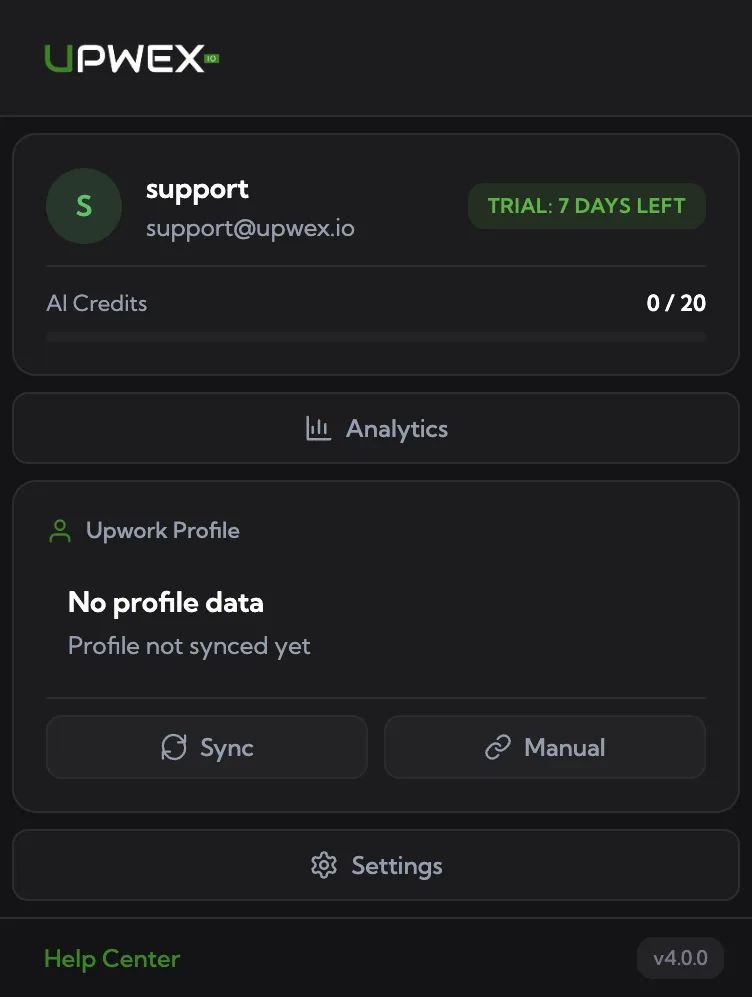
Click the Upwex icon in your Chrome toolbar. Inside the popup you’ll see your account card and an Upwork Profile section. Until you sync, that section shows “No profile data” with two action buttons underneath: Sync and Manual.
Step 2 – Click Sync (recommended)
The Sync button is the fastest path. Upwex opens your Upwork freelancer profile page in a new background tab, extracts the data, syncs it to your account, and closes the tab automatically. Within a few seconds the popup updates: the avatar, name and title appear in the Upwork Profile section, the dropdown becomes interactive, and a green toast confirms the sync.
Step 3 – Manual URL method
Use this if the automatic Sync can’t extract your profile (e.g., you’re not currently logged into Upwork in this browser, you want to sync a different freelancer, or Upwork rate-limited the auto flow):
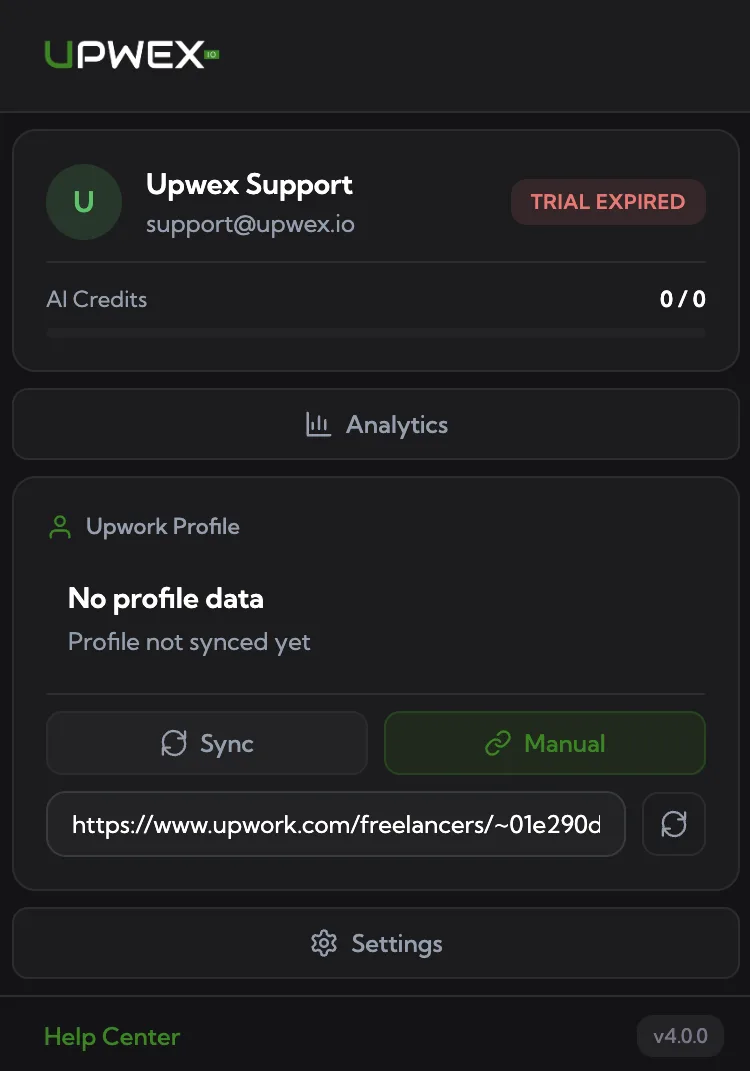
- Click Manual – a URL input field appears under the buttons.
- Paste an Upwork freelancer URL:
https://www.upwork.com/freelancers/~your-id. - Click the small sync icon next to the input – Upwex opens that profile in a background tab and syncs it the same way.
Step 4 – Re-sync from your Upwork freelancer page
Once a profile is synced, Upwex starts showing a small floating widget on that freelancer’s Upwork page (upwork.com/freelancers/~your-id) in the bottom-left corner with an Update Profile button. Click it any time you want to push the latest profile changes – overview, skills, hourly rate, portfolio – into Upwex without opening the extension popup.
Note: the widget only appears for profiles that already exist in your Upwex account. For brand-new profiles use Steps 1–3 first. See the Profile Sync widget article for the full state machine.
What gets synced?
- Title, overview, skills list, hourly rate
- Completed jobs (work history with client feedback), portfolio items, certificates – these also power the Profile Highlights feature in Settings
No private data like earnings, messages or payment info is synced – only what’s publicly visible on your profile.
Highlights need a fresh re-sync
The Profile Highlights section on the Settings page (adds up to 4 profile items to every proposal) is built from your synced completed jobs, portfolio and certificates. Profiles synced before this feature shipped don’t have that data yet – if Settings shows “No highlights available yet”, just re-sync your profile once (Step 2 or Step 4) and the picker will fill in.
How often to re-sync
When you update your Upwork profile (new skills, new overview), re-sync to keep AI output fresh – either via the popup (Step 2) or the on-page widget (Step 4). A good habit: re-sync once a month or after major profile edits.