


The Profile Analyzer is an AI audit of your own Upwork freelancer profile. It scores your profile against a checklist of things clients look for – a clear title, a results-driven overview, portfolio depth, testimonials, an intro video and more – then tells you exactly what to improve first. For the manual deep dive, see our Upwork profile optimization guide. It is a beta feature and lives inside the Profile Sync widget on your Upwork profile page.
How to run an analysis
Open your own Upwork freelancer profile (upwork.com/freelancers/~username) with the Upwex extension active. The Profile Sync widget appears in the corner with two buttons – Update Profile and Analyze Profile (marked Beta). Click Analyze Profile to start.
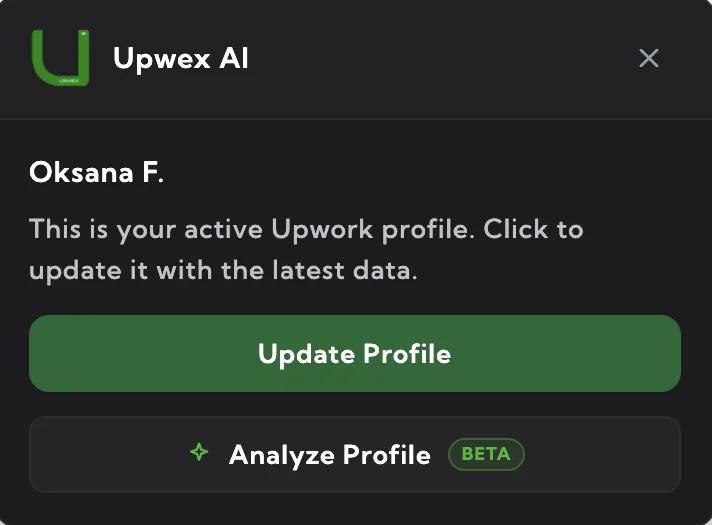
Upwex reads your live profile data straight from the page (the same public data used for profile sync) and sends it to the AI for scoring. For the most accurate result, run the analysis on a profile you have recently synced so the AI works with your latest title, overview and portfolio.
Reading your results
The widget switches to a results view with an overall score ring at the top and a summary such as “Passed 21 of 29 checks” plus the biggest wins available. Below it, every check is listed as its own row with a score from 0 to 100 and a progress bar.
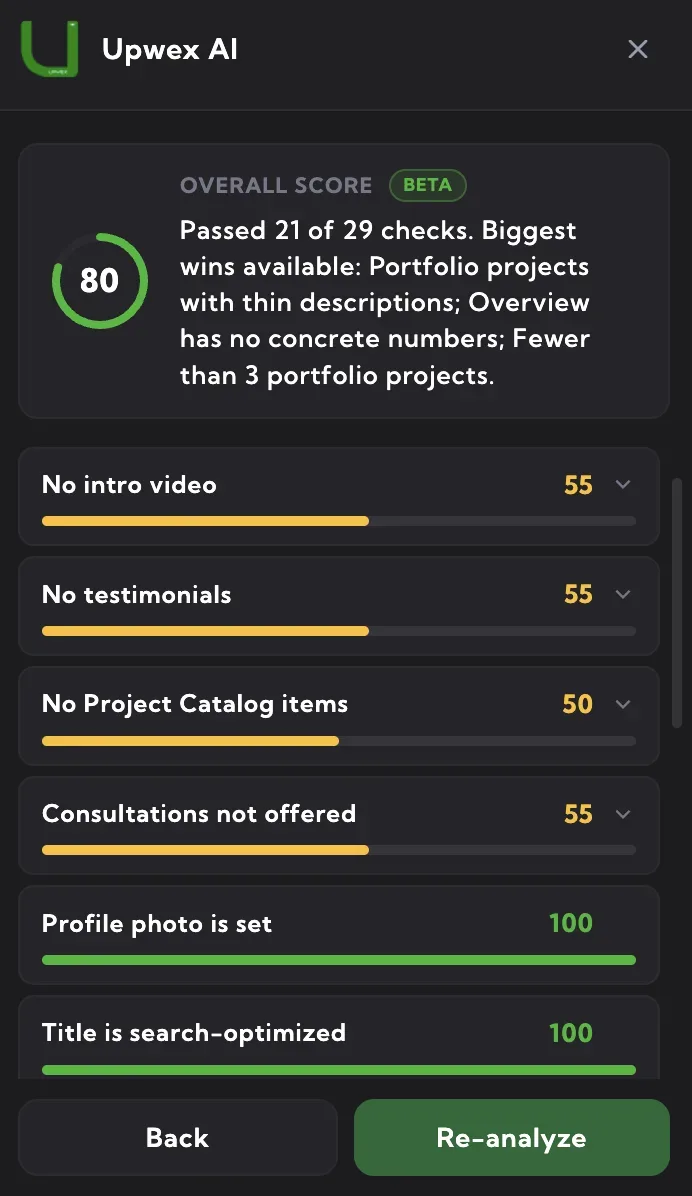
What the colours mean
Each check is colour-coded by its score so you can see at a glance where to focus:
- Green (80–100) – this part of your profile is in good shape.
- Yellow (55–79) – there is room to improve; worth a look.
- Red (below 55) – a weak spot that is likely costing you responses.
Checks are sorted so the items with the most upside appear first – you always see what to fix next at the top.
Fixing an issue
Any check that scores below 100 and has advice is expandable – click the row (the chevron) to open concrete recommendations for that section. Where the AI can rewrite the content for you, you get action buttons right there:
- Copy – copies the suggested text to your clipboard so you can paste it into Upwork yourself.
- Apply on Upwork – for your title and overview, Upwex can open the Upwork edit dialog and fill in the suggested text automatically. Review it and save on Upwork.
For the title, a ready-to-use suggestion is shown immediately with Copy and Apply. For the overview, use Fix with AI to generate an improved version, then Copy or Apply it.
Viewing someone else’s profile (agencies)
If you open a profile you cannot edit – for example an agency member’s profile where Upwork shows no edit controls – the Apply on Upwork button is hidden, because there is nothing to fill in. You still get the full analysis and the Copy button, so the freelancer who owns that profile can paste the improvements themselves.
Re-analyze after changes
Once you have updated your title, overview or portfolio on Upwork, click Re-analyze at the bottom of the results to score the profile again and confirm your score went up. Use Back to return to the widget without re-running.
Good to know
- Beta: the Profile Analyzer is still in beta – checks and scoring will keep improving.
- AI credits: each analysis – and every re-analysis – uses 2 AI credits. Generating a rewrite with Fix with AI uses 1 credit.
- Public data only: the analyzer reads only the publicly visible parts of your profile – no earnings, private messages or payment details.
- Where it runs: the analysis works on your Upwork freelancer profile page, not inside your Upwex account dashboard.