


Many Upwork jobs include screening questions that clients use to filter applicants. Writing answers for each one is tedious – especially if you’re applying to multiple jobs per day. Upwex’s AI Q&A feature handles this automatically.
Where questions are detected
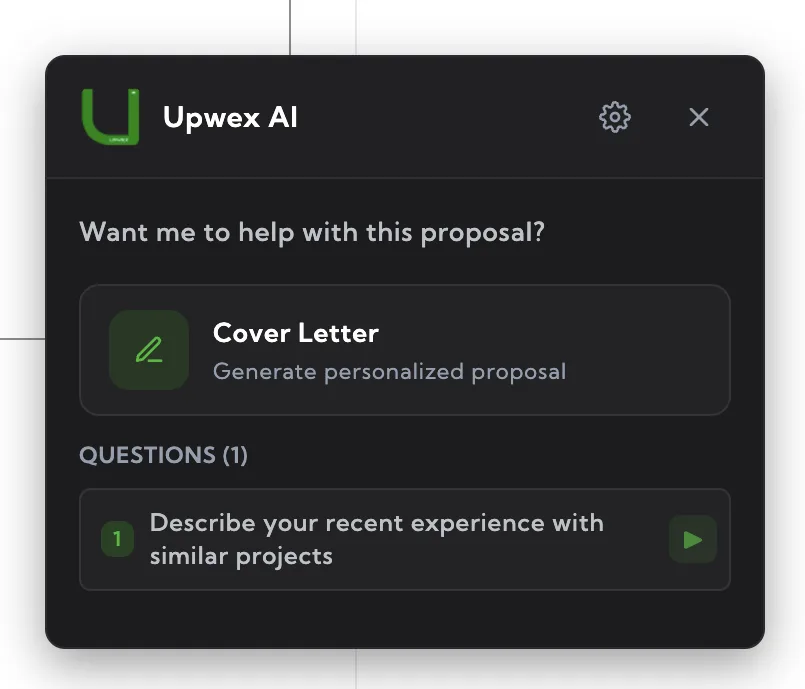
When you open a job’s proposal form, the Cover Letter widget scans the page for screening questions and lists them in a dedicated Questions section. Each row shows:
- The question number and text
- A small action icon on the right – ▶ for an unanswered question, ↻ for one that already has an answer in the Upwork field
The list appears both on the start screen of the widget (next to the Cover Letter / Autocomplete / Auto Bid cards) and on the success card after a cover letter is generated.
Generate or regenerate one answer
Click ▶ next to an unanswered question – Upwex calls the AI, drops the result straight into the Upwork question field and switches the icon to ↻. Click ↻ to replace the existing answer with a new variant. Each click is independent: questions are not generated together with the cover letter – you control them one by one.
The AI considers:
- Your synced Upwork profile (experience, skills, portfolio)
- The job description for context
- The question text itself
- The current cover letter, if one is already filled in (so the answer aligns with what you said in the proposal)
Answers are short (1–3 sentences) and tailored to sound like you, not generic AI-speak.
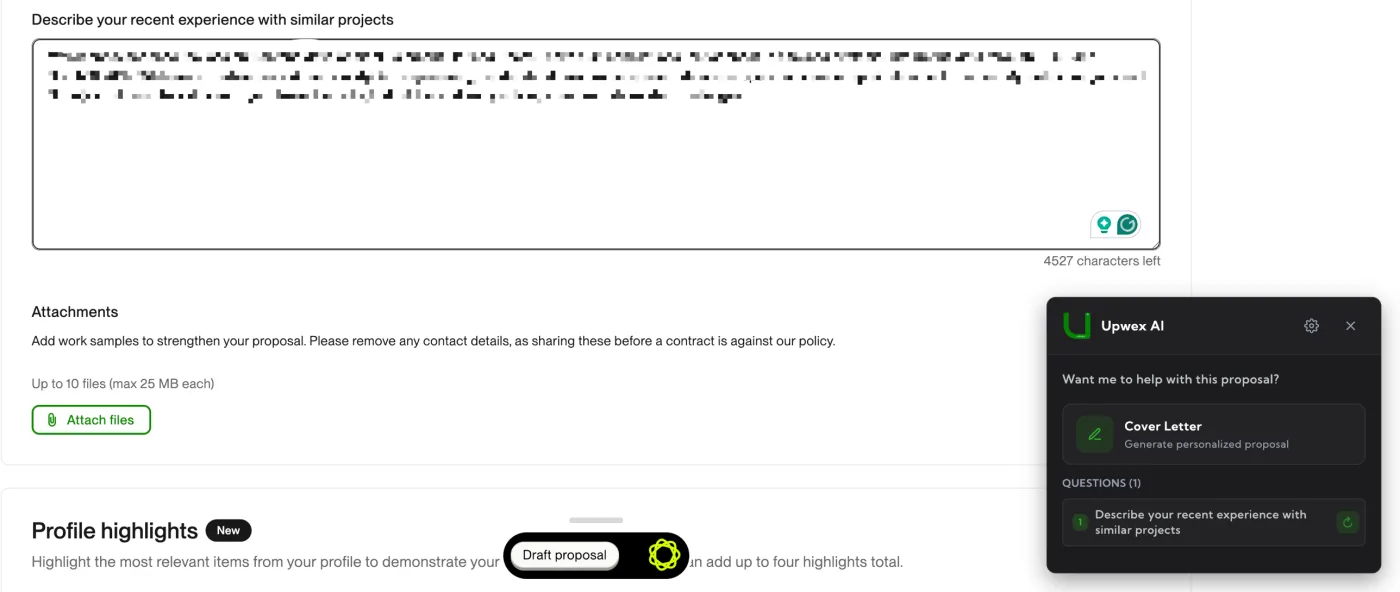
Generate every answer in one go
If you don’t want to click each ▶ manually, use one of the bulk actions on the start screen of the Cover Letter widget:
- Autocomplete – generates the cover letter and every screening answer, fills the entire form, but stops short of submitting so you can review.
- Auto Bid – same as Autocomplete, but also clicks Submit at the end.
Cost
- 1 AI Credit per question answer (each click of ▶ or ↻).
- Autocomplete and Auto Bid spend 1 credit for the cover letter plus 1 credit per question they answer.
Tip: review before submitting
AI answers are good but not perfect. For high-value jobs, always read them and adjust any factual claims (years of experience, specific project names, etc.) before clicking Submit.