


Profile sync is what feeds Upwex AI features (Job Assistant, Cover Letter generation, Auto Bid) with the data from your Upwork freelancer profile – title, overview, skills, hourly rate, work history. If sync hasn’t run yet or keeps failing, those features fall back to generic output.
How sync actually works
Upwex never queries Upwork’s API. It reads the profile data directly from a freelancer-profile page in your own browser tab, where Upwork has already loaded everything. There are three places to trigger that:
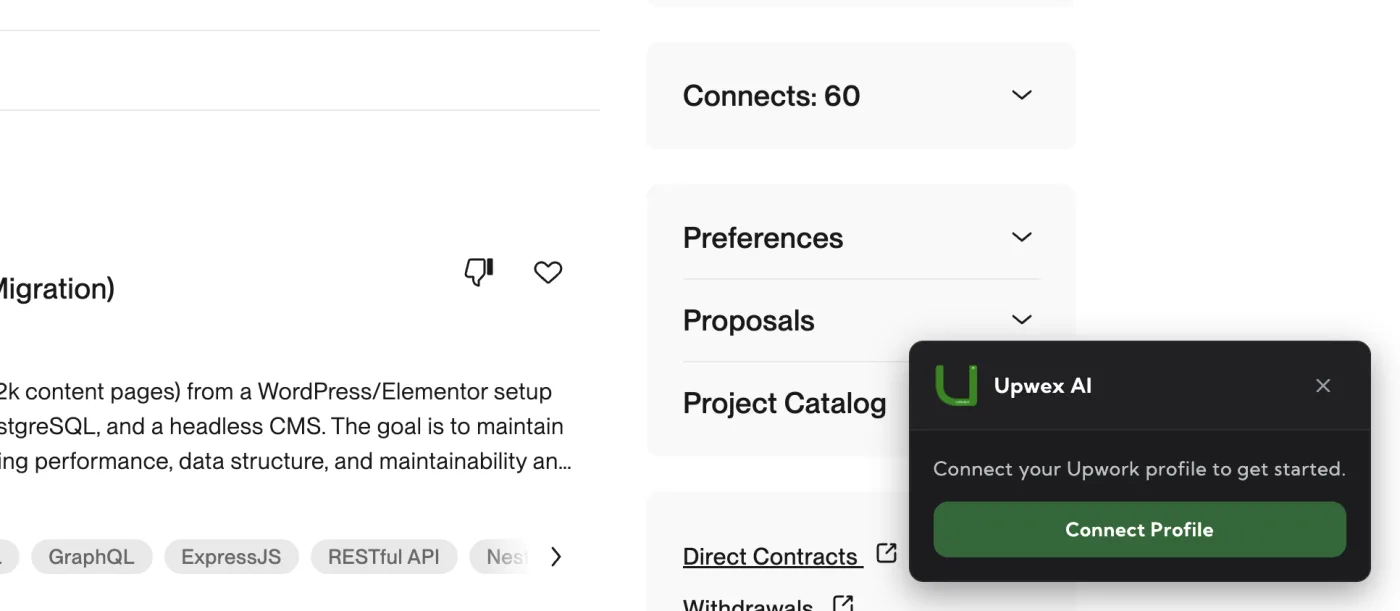
- Profile Sync widget on the profile page – when you open your own profile (
upwork.com/freelancers/~<id>), the widget overlays the right side of the page. Click Connect Profile to extract data from the current tab – no new tabs are opened. - Popup → Sync – opens your active profile URL in a new tab, waits for Upwork to render it, then extracts data and closes the tab. Use this when you don’t want to navigate to your profile manually.
- Popup → Manual – paste a freelancer-profile URL yourself; Upwex opens it in a new tab and extracts. Useful when auto-detect picks the wrong profile or you want to switch to a different one.
Sync from the popup
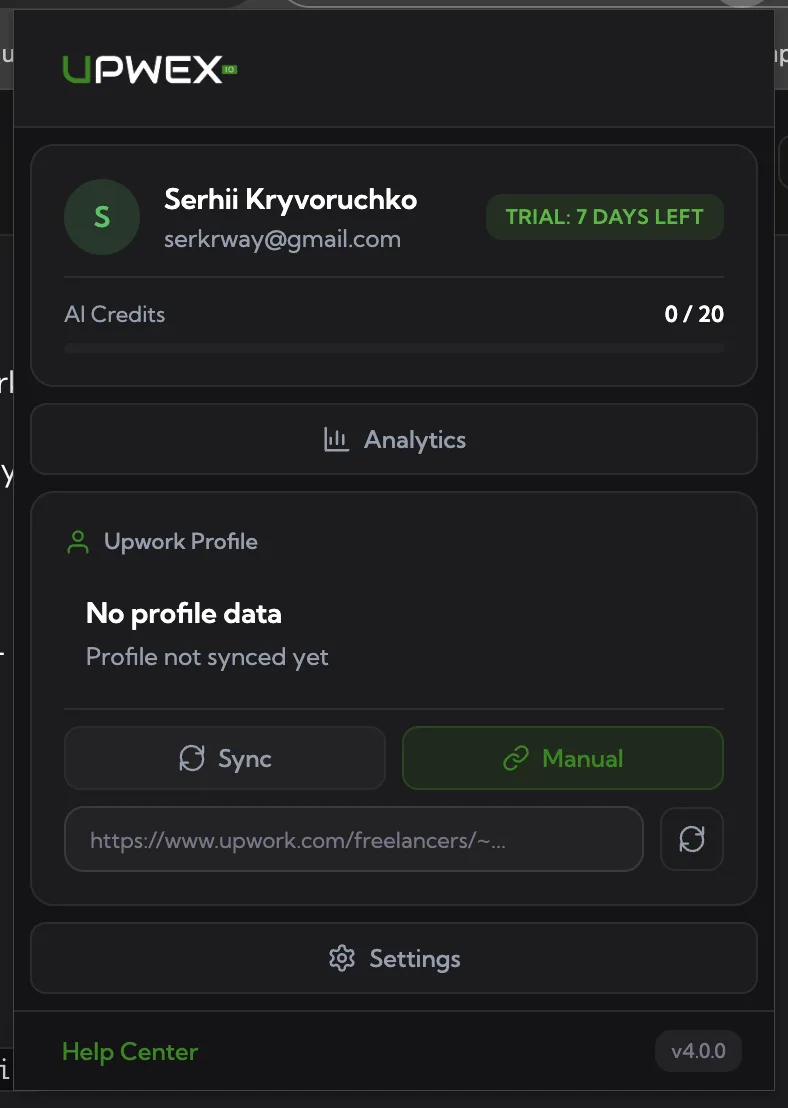
Click the Upwex toolbar icon. In the logged-in popup the Upwork Profile card shows the current state:
- “No profile data – Profile not synced yet” – initial state after sign-up.
- A profile card with your name, email, plan badge and last-sync timestamp – once a sync has succeeded.
The card has two buttons:
- Sync – auto-mode. Opens your active Upwork profile URL in a new tab, runs the extraction, closes the tab, updates Upwex.
- Manual – reveals a URL input. Paste a freelancer-profile URL like
https://www.upwork.com/freelancers/~<id>and press the small refresh button next to the field. Upwex requires the URL to contain bothupwork.comand/freelancers/– anything else is rejected up front.
Common failure modes
You’re not signed in to Upwork in this browser
Upwex extracts profile data from a rendered Upwork page. If your browser isn’t authenticated to Upwork, the page redirects to login and the data Upwex needs (the embedded NUXT state) isn’t there.
Fix: open upwork.com in any tab, sign in, then retry the sync.
The page didn’t finish loading
Upwex polls for the embedded profile data for up to 20 seconds (10 attempts, 2s apart). On a slow connection or with heavy throttling the page sometimes just isn’t ready in time.
Fix: open the freelancer profile page yourself, wait until everything (overview, work history) is visible, then click Connect Profile on the widget overlay.
Wrong URL in the Manual field
Manual sync rejects URLs that don’t include both upwork.com and /freelancers/. Agency dashboards, search pages and job URLs won’t be accepted.
Fix: open your profile on Upwork and copy the URL straight from the address bar – it should look like https://www.upwork.com/freelancers/~01abc123def456.
You’re trying to sync a profile that isn’t yours
Upwex extracts everything that Upwork itself renders on the page. For a profile you don’t own, large parts of the page are hidden, so sync may complete with very little data.
Fix: only sync your own freelancer profile. If you switched between personal and agency accounts on Upwork, sign in to the right one before running sync.
Working with multiple Upwork profiles
If you have more than one freelancer profile (e.g. a personal one and one in an agency), Upwex stores them all and the popup shows a small selector under the profile card. The currently active profile is the one Upwex feeds to AI features and the one the popup’s Sync button refreshes.
Switching the active profile is done from that selector in the popup – there’s no separate “Active Profile” page in Upwex settings.
Re-sync after profile changes
The extracted data is a snapshot. If you update your title, overview, hourly rate or skills on Upwork, run sync again so AI features pick up the new content. The Profile Sync widget on your profile page changes its label to Update Profile for already-synced profiles – clicking it refreshes the snapshot from the current tab.
Still stuck?
Email support@upwex.io with:
- The Upwork freelancer profile URL you’re trying to sync
- Whether you’re using the popup Sync, popup Manual, or the widget on the profile page
- A screenshot of the popup Upwork Profile card
- Upwex extension version (popup footer, e.g.
v4.0.0)