


Upwex has a single plan now – Flex – so there are no more upgrades or downgrades between tiers. There are two kinds of plan change left: moving from an old Lite, Pro or Max plan to Flex, and switching Flex between Monthly and Yearly billing. Both start on the Pricing Plans page.
Where to start
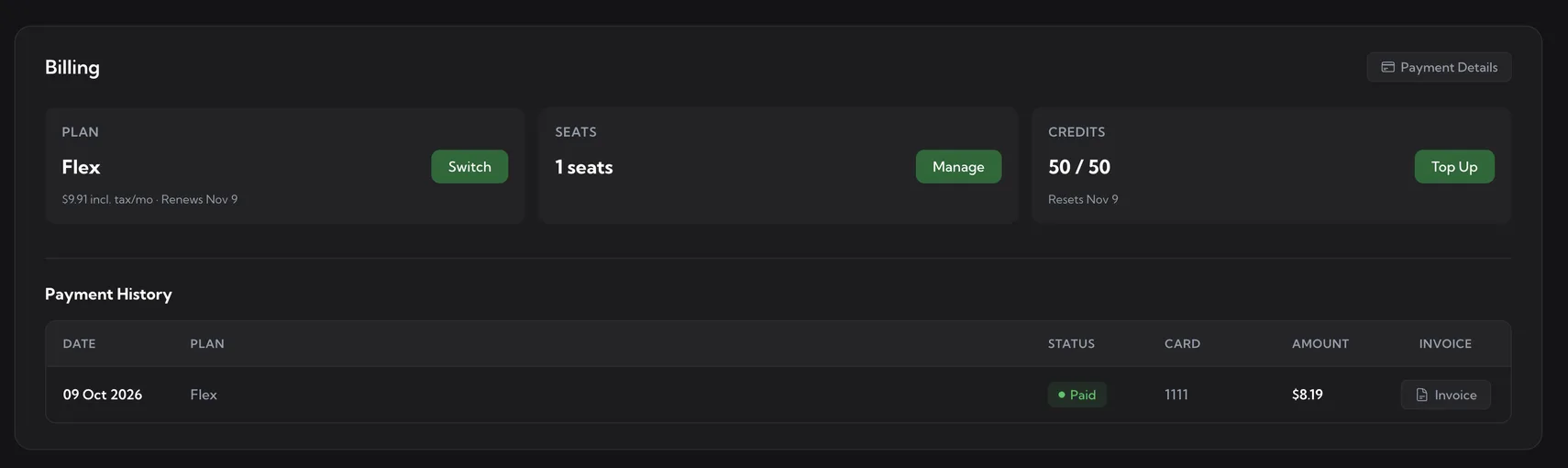
Open account.upwex.io/plans, or click Switch on the Plan card of the Billing page. The Billing page also shows your current plan, seats, credits and payment history in one place.
Switch from Lite, Pro or Max to Flex
If you are still on Lite, Pro or Max, the Pricing Plans page shows your plan as a Your current plan strip above the Flex card. Your old plan keeps working until you decide to move.
- Click Upgrade on the Flex card.
- Check the confirmation window. It shows the prorated amount you will be charged for the rest of the current period and a line with the credits that will be carried over from your old plan.
- Confirm the switch.
Moving from any old plan to Flex always counts as an upgrade, even though Flex costs less. That is why it happens right away instead of waiting for your next renewal.
What happens after the switch
- You are on Flex immediately, and the charge is prorated for the rest of the period.
- Unused credits from your old plan move to your extra balance. Extra credits never expire, so nothing is lost.
- The carry-over appears in your AI Credits usage history as Credits carried over with a green +N amount.
- From now on your monthly pool is 50 AI Credits per seat.
Switch between Monthly and Yearly on Flex
Flex is billed either Monthly ($7.99 per seat per month) or Yearly ($89.99 per seat per year, marked Save 6%). To change the billing period, open the Pricing Plans page, set the toggle at the top to the period you want and follow the button on the Flex card. Check the amounts in the confirmation window before you confirm. Tax may be added depending on your location.
Seats
Every team member uses one paid seat, and the price and credits are counted per seat. Seat changes are made from the Team page (the Manage button on the Seats card leads there). See How team seats work.
Cancelling instead of switching
If you want to stop paying altogether, use Cancel Plan on the Pricing Plans page. The subscription stays active until the end of the current billing period, then paid features stop. See Cancel your subscription.
Receipts and invoices
Charges for a switch appear in Payment History on the Billing page, where you can download each invoice with the Invoice button. To change the card, billing details or VAT number, use Payment Details in the top right of the same page.
Related articles
- Pricing plan overview – what Flex includes and what it costs
- Understanding AI Credits – the monthly pool and extra credits
- Cancel your subscription – ending the subscription instead of switching
- Edit billing information (including VAT) – keep your tax details correct